
Video transcript
Your Instagram auto DMs, now inside ChatGPT.
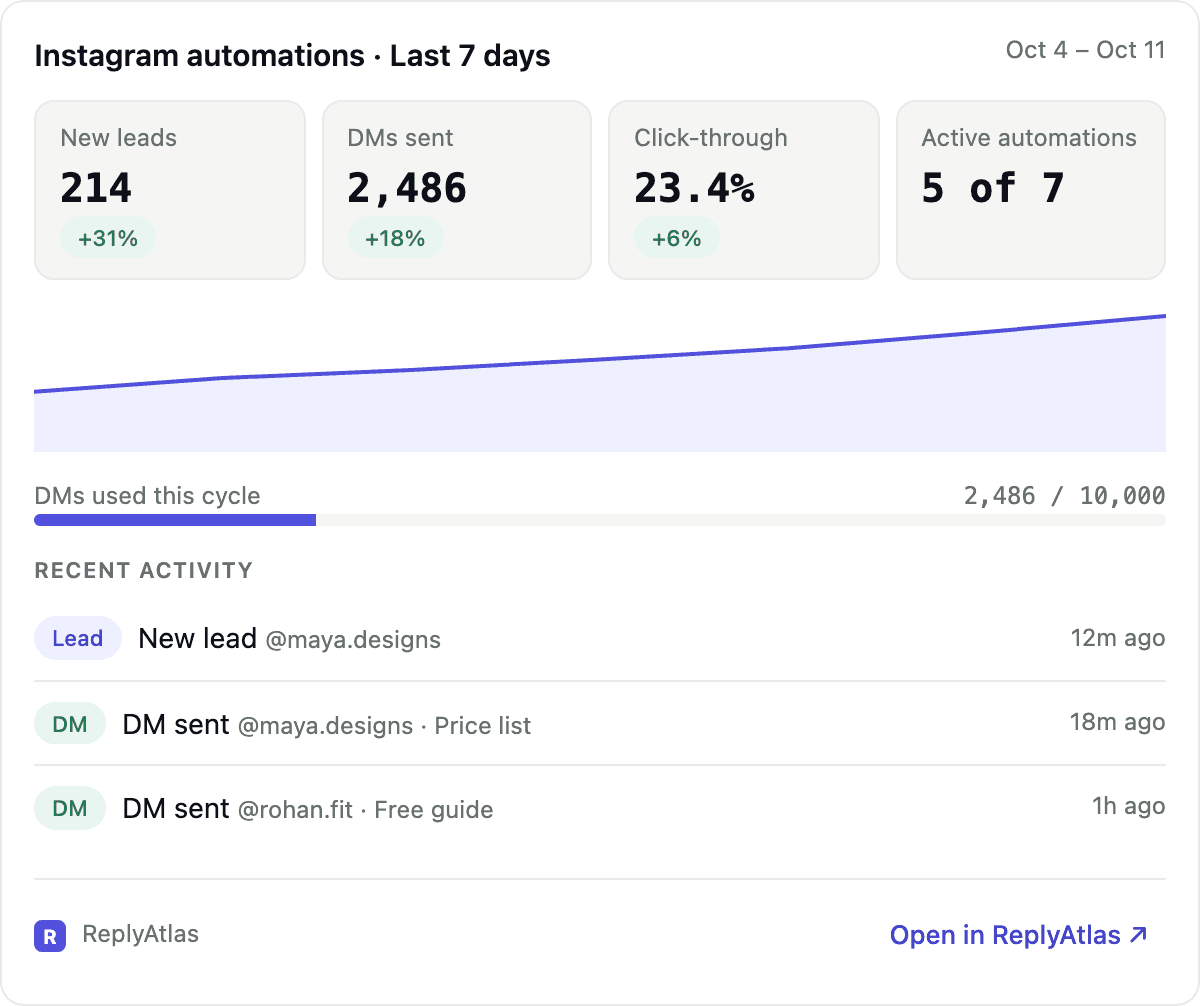
Find ReplyAtlas in ChatGPT plugins, install it, and sign in to your ReplyAtlas account. Ask for your dashboard, and you get new leads, DMs sent and click-through, right in the chat. Ask which automation works best.
Want a new automation? Just describe it. Then pick the post from your recent posts, and it's live. Pause or resume any automation with one tap.
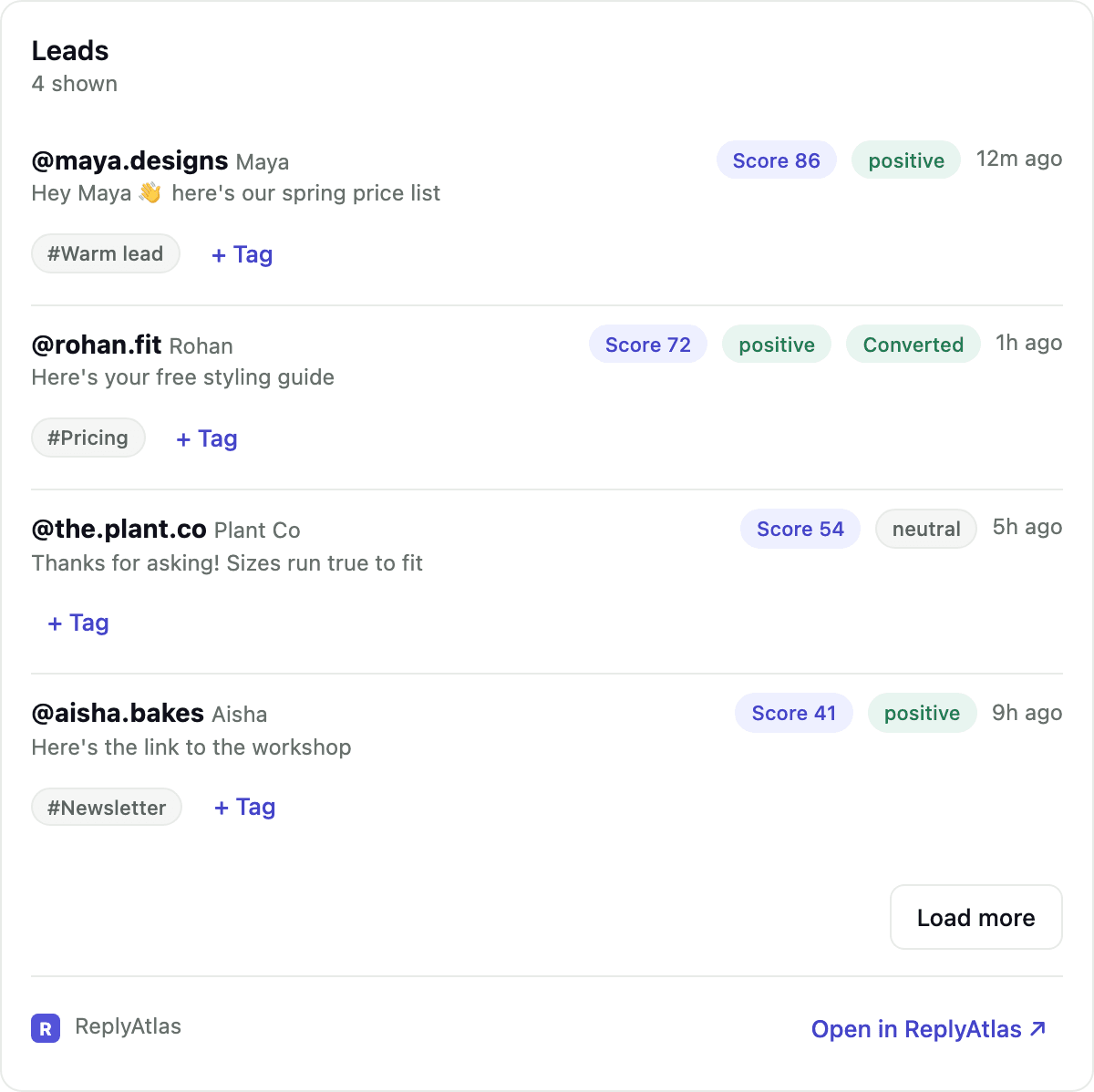
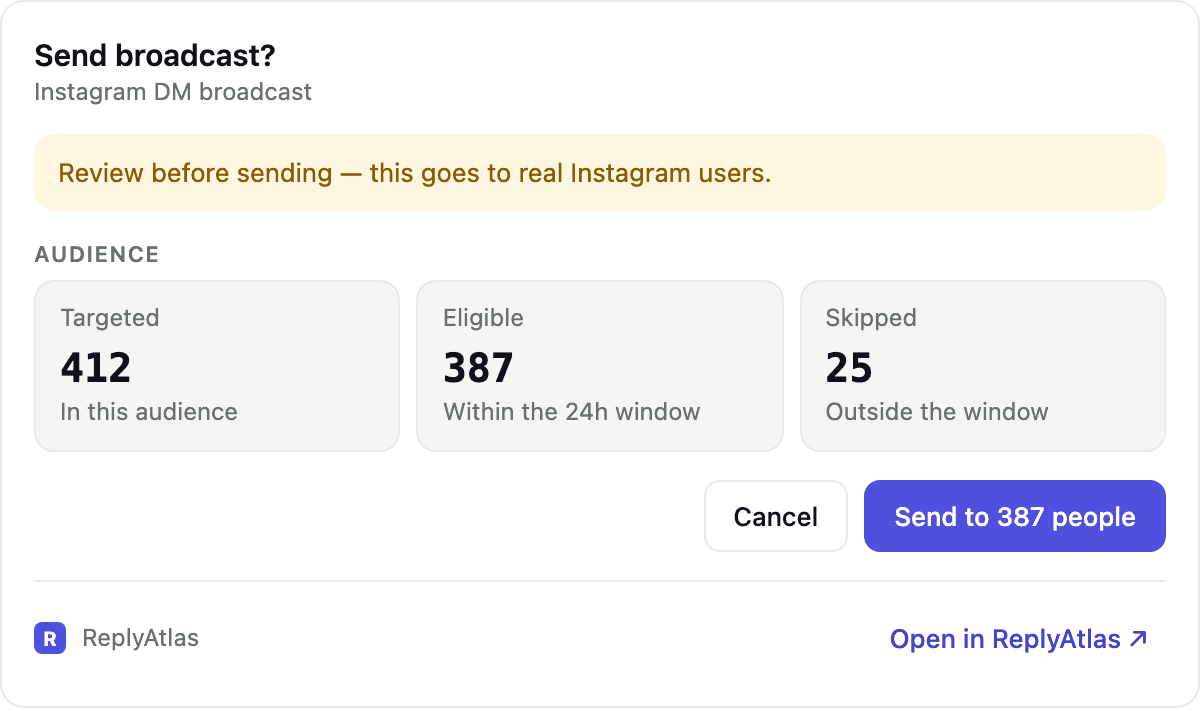
See your newest leads, with a score and sentiment for each one. Check who's waiting for a reply, and draft a broadcast. You always see a preview first, and nothing is sent until you press Send.
Try it free. Just search for ReplyAtlas in your ChatGPT plugins.
ReplyAtlas automates replies to Instagram comments with DMs. With the ReplyAtlas connector you can ask Claude or ChatGPT about your automations, leads, inbox and results, and manage them from the chat. Answers come with interactive cards — a dashboard, lists you can page through, a post picker and send confirmations.
Before you start
- A ReplyAtlas account (sign up free) with an Instagram Business or Creator account connected.
- Claude (web, desktop or mobile) or ChatGPT.
- Some actions follow your ReplyAtlas plan, exactly as in the ReplyAtlas app — for example replying from the inbox, broadcasts and public comment replies need a paid plan. The assistant tells you when an action needs an upgrade.
Connect in Claude
- Open Claude → Customize → Connectors, then find ReplyAtlas in the directory, or choose Add custom connector and enter
https://replyatlas.com/api/mcp. - Select Connect. Sign in to ReplyAtlas and approve access on the consent screen.
- In a chat, ask something like “Show my ReplyAtlas dashboard”.
Connect in ChatGPT
- Open ReplyAtlas in the ChatGPT plugin directory, or in ChatGPT open Plugins and search for ReplyAtlas.
- Select Connect, then sign in to ReplyAtlas and approve access.
- Ask ChatGPT to use ReplyAtlas, for example “Using ReplyAtlas, list my automations”.
Can’t find ReplyAtlas in the directory — for example in a workspace where your admin hasn’t enabled it? Add it as a custom app with the server URL https://replyatlas.com/api/mcp.
What you can do
See how things are going
- Dashboard — leads, DMs sent, click-through, active automations and recent activity.
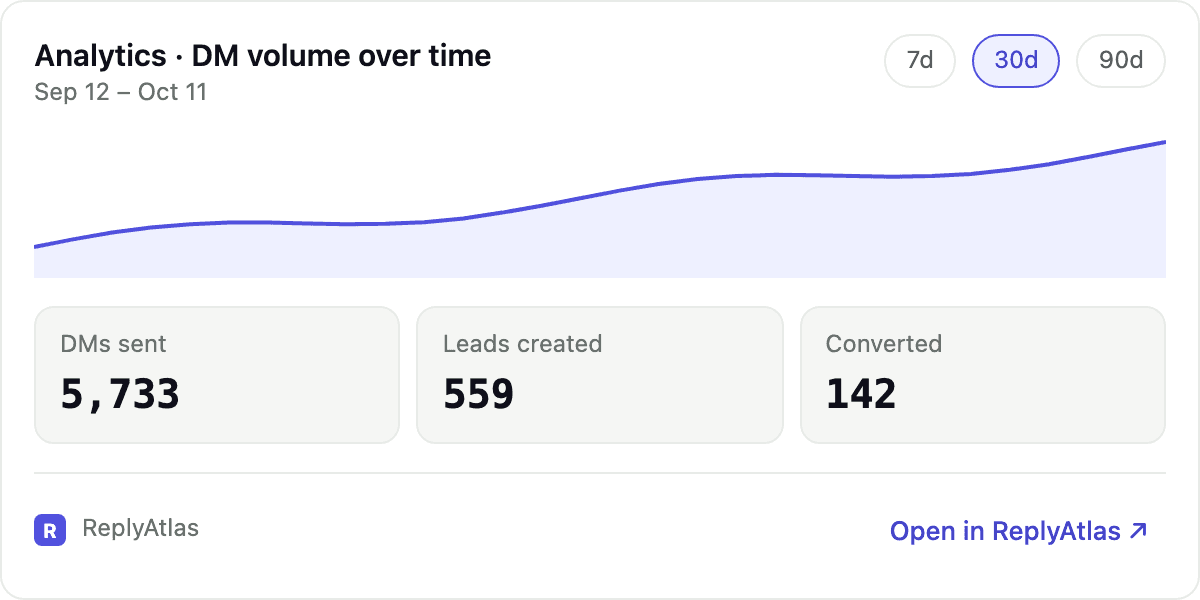
- Analytics — trends over 7, 30 or 90 days, top automations and results by trigger.
- DM log — every DM sent, filtered by status (sent, clicked, failed, queued).
Manage automations
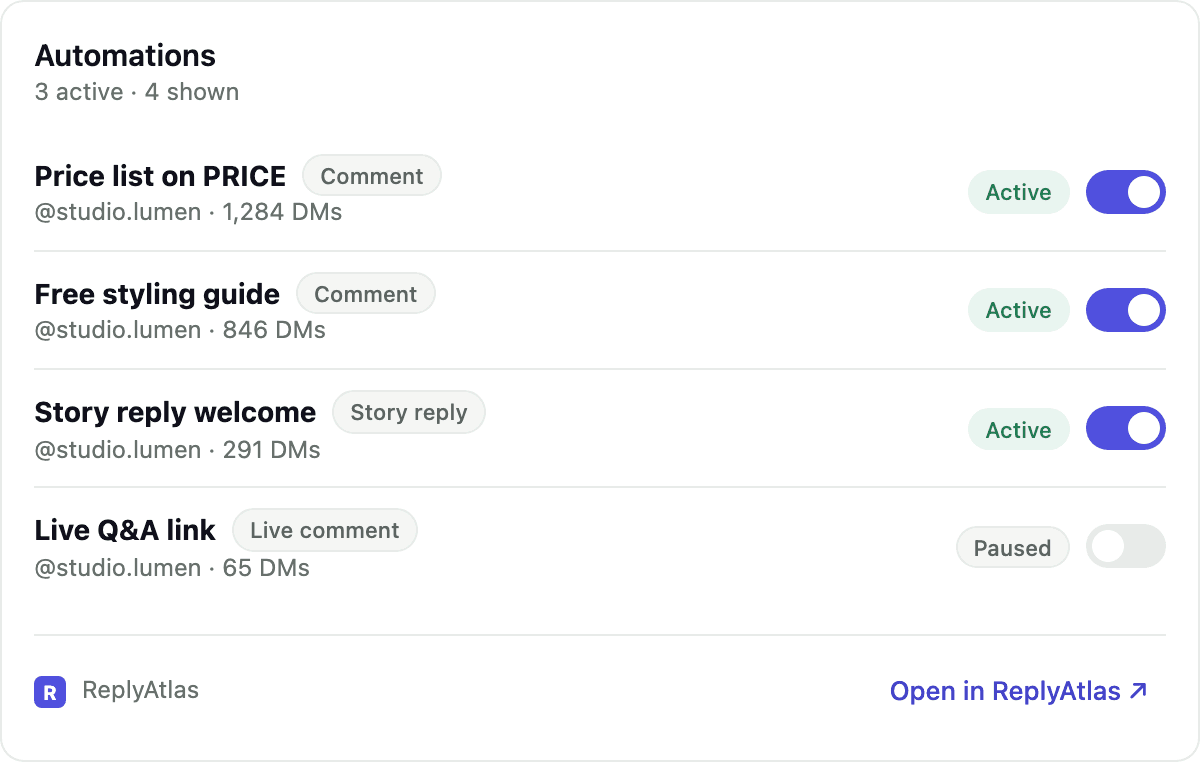
- List automations and open one to see its trigger, posts, keywords and messages.
- Pause or resume an automation with a toggle.
- Create or update an automation. A post picker shows your recent Instagram posts so you choose which ones it watches, or any post.
- Delete an automation (the assistant asks before running it).
Work with leads
- List leads with score, sentiment and tags; open a lead for details; tag leads; export leads.
Inbox and broadcasts
- See conversations that need a reply and how long the reply window stays open.
- Reply to a conversation, and draft and send broadcasts to a lead segment.
Sending is always confirmed by you
Replying to a conversation and sending a broadcast message real Instagram users, so they work in two steps. The assistant first gets a preview — the exact text, or how many people a broadcast will reach — shown in a confirmation card. Nothing is sent until you press Send (or explicitly tell the assistant to send). Each confirmation works once and expires after a few minutes. Pressing Cancel sends nothing.
Example prompts
- “Show my ReplyAtlas dashboard for the last 7 days.”
- “Which automation brought the most leads this month?”
- “Pause my Diwali sale automation.”
- “Create an automation that DMs the price list when someone comments PRICE on my latest reel.”
- “Show leads tagged Warm lead with a score above 60.”
- “Which conversations still need a reply?”
Privacy and access
- The assistant only sees ReplyAtlas data through the requests it makes while you chat; ReplyAtlas does not receive your conversations.
- Access uses OAuth — you sign in on replyatlas.com, and your password is never shared with the assistant.
- Disconnect at any time from Settings → Connected apps in ReplyAtlas, or from the assistant’s connector settings. Changing your password also disconnects every assistant.
- See the Privacy Policy (section 1.4) for what we store.
Troubleshooting
- “Instagram isn’t connected” — connect or reconnect your Instagram account in ReplyAtlas, then ask again.
- An action says it needs a paid plan — compare plans on the pricing page.
- Cards don’t appear — make sure the connector URL is exactly
https://replyatlas.com/api/mcp(no trailing slash), then start a new chat. - Signed in to the wrong account — disconnect ReplyAtlas in the assistant, then connect again.
Support
Questions or problems: support@replyatlas.com or the contact page.